
What is Fast Startup and why would you disable it?
Fast Startup is a feature of Windows operating systems since Windows 8, that enables your computer to start up faster. This is achieved by hibernating the computer on shutdown rather than a full shutdown.
While this speeds up starting up your computer it can also cause issues if you are also not restarting the computer. As the fast startup shutdown just hibernates the operating system and driver files this can cause issues with your computer, including with Windows updates, performance, and network connection.
This post will provide step-by-step instructions to disable Fast Startup using Group Policy.
Using Group Policy to disable Fast Startup
While you can disable Fast Startup on an individual computer in the control panel if you are managing several computers this can be time-consuming. The easiest way to do this if your computers are being managed in Active Directory is to use a Group Policy to deploy the registry key that disables Fast Startup.
Create the Group Policy
- Open Group Policy Management Editor
- Create a new Group Policy under the OU you want to target by right-clicking on the OU and clicking on “Create a GPO in this domain, and Link it here…”
- Give the Group Policy a descriptive name
- Expand Computer Configuration, Preferences, Windows Settings
- Right-click on Registry and under “New”, click on Registry Item
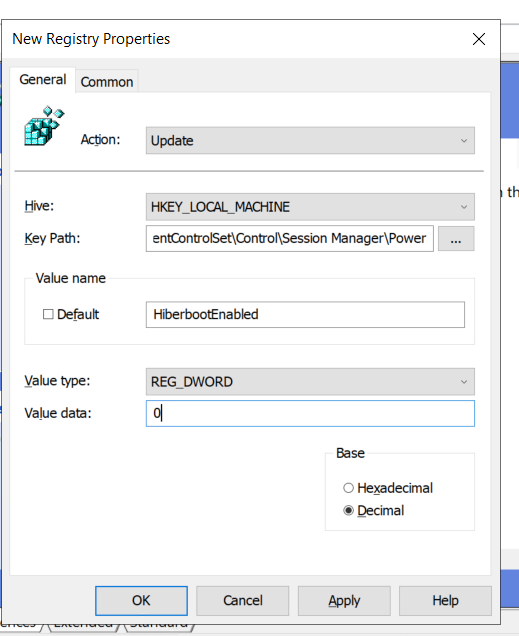
Group Policy Registry Settings to Disable Fast Startup
- Under Action select Update
- Under Hive select HKEY_LOCAL_MACHINE
- In key Path enter
SYSTEM\CurrentControlSet\Control\Session Manager\Power - Under Value Name enter
HiberbootEnabled - Set Value type to REG_DWORD
- Enter “0” for Value Data
Confirm Fast Startup has been disabled
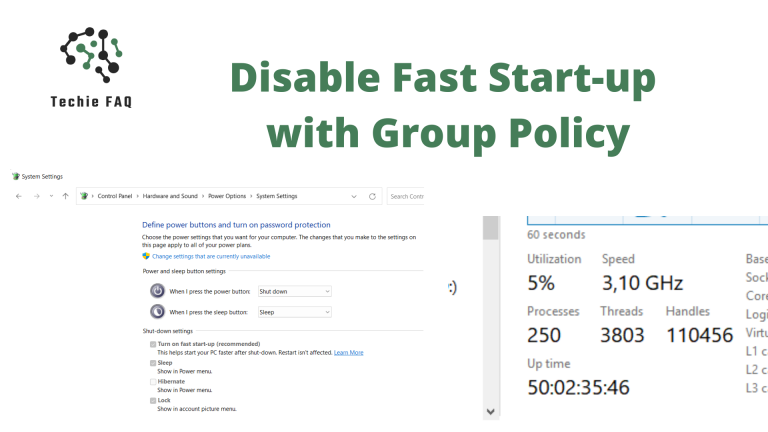
You can confirm that this policy has been applied correctly by going into the Control panel on a machine targeted by the GPO. Under Hardware and Sound, click into Power Options and then “Choose what the power buttons do”.
If the policy has been applied the tick box for “Turn on fast start-up” under shutdown settings should be unticked.