How to Sign Into NordVPN Without a Browser: CLI, Token Auth & Router Setup
Direct Solution (Headless & CLI Users):
While NordVPN deprecated in-app username/password prompts in favor of web OAuth (Nord Account), you can bypass the browser completely by generating an Access Token in your account dashboard and authenticating via terminal:# Headless CLI Authentication nordvpn login --token <YOUR_GENERATED_TOKEN>For whole-network or router protection (pfSense, OPNsense, UniFi, ASUS-WRT), generate Manual Service Credentials to establish OpenVPN or WireGuard (NordLynx) tunnels with zero browser interaction.
When NordVPN unified its ecosystem under Nord Account, it replaced traditional in-app credential logins with a browser-based OAuth redirect flow.
While convenient for everyday desktop users, this transition introduced major roadblocks for:
- Headless servers & homelabs: Running Linux/Raspberry Pi servers without a GUI desktop environment or web browser.
- Restrictive networks: ISPs or government firewalls that selectively block
nordaccount.comduring the browser handshake. - Privacy-conscious users: Admins who prefer not to generate unencrypted DNS/HTTP requests to login landing pages before the encrypted tunnel is active.
In this guide, we break down every method to connect to NordVPN without triggering a browser login window.
Method 1: Authenticate via NordVPN CLI & Access Tokens (Linux, macOS, Windows)
If you run the NordVPN command-line interface (CLI) on headless systems, automation scripts, or terminal environments, you can log in using a persistent API Access Token.
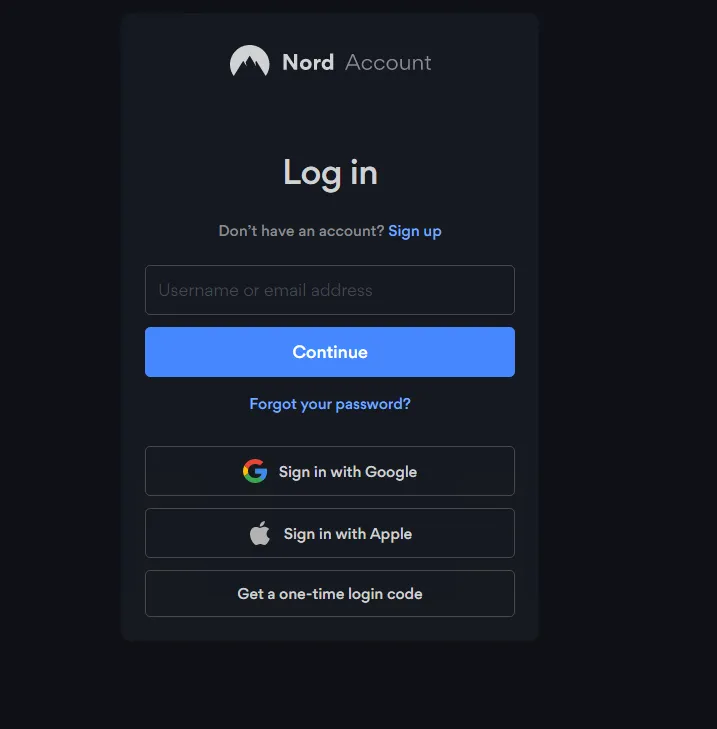 The default browser-based Nord Account login prompt
How to Generate and Use an Access Token:
- On any device with browser access (or a mobile device), log into your Nord Account Dashboard.
- Navigate to NordVPN > Manual Setup > Access Tokens.
- Click Generate New Token.
- Choose token expiration: 30 days, 90 days, or Never expires (recommended for headless servers and NAS devices).
- Copy the generated token string.
- In your target terminal, run:
# Authenticate using token
nordvpn login --token e7a1b2c3d4e5f6...your_token_here...

# Verify connection status
nordvpn status

# Connect to the fastest recommended server
nordvpn connect
Once authenticated via token, the session token is securely stored locally in the NordVPN daemon configuration, and you will not be prompted to log in again.
Method 2: Configure NordVPN at the Router Level (Whole-Network VPN)
Connecting at the router level routes all network traffic (laptops, phones, smart TVs, IoT devices) through encrypted VPN tunnels without requiring any app or browser sign-in on client devices.
Router connections do not use your personal Nord Account email or browser OAuth. Instead, they use dedicated Manual Service Credentials:
How to Retrieve Service Credentials:
- In your Nord Account dashboard, go to NordVPN > Manual Setup > Set up NordVPN manually.
- Copy your Service Username and Service Password (a randomized alphanumeric string).
- Select your protocol:
Compatible Router Platforms:
- pfSense / OPNsense: Configure as an OpenVPN or WireGuard Client gateway with selective policy-based routing (PBR).
- UniFi Gateways (UDM-Pro, UCG-Ultra): Set up via VPN > VPN Client > OpenVPN / WireGuard.
- ASUS-WRT / ASUS-WRT Merlin: Navigate to VPN > VPN Fusion / VPN Client.
- OpenWRT: Install
luci-app-openvpnor WireGuard packages.
Method 3: Use Open-Source WireGuard or OpenVPN Clients
If you don’t want to run the proprietary NordVPN client app, you can use standard, audited open-source clients like OpenVPN GUI (Windows), Tunnelblick (macOS), or native WireGuard:
- Download the server configuration file (
.ovpn) for your preferred country from the NordVPN server utility page. - Import the
.ovpnfile into OpenVPN GUI. - When prompted, enter your Service Username and Service Password from Step 2.
- Check Save Password to connect automatically upon system startup.
Privacy-Focused Alternatives (Zero Browser Login Required)
If you find Nord Account’s centralized OAuth model too restrictive, several high-grade, zero-log VPN providers allow completely anonymous, credential-less authentication:
1. Mullvad VPN
- Login Model: Generates a random 16-digit account number.
- Privacy: No email, password, or personal details required. Supports cash and cryptocurrency payments.
- Client: Connects directly using WireGuard keys or account ID with 0 browser redirects.
2. Proton VPN
- Login Model: Open-source apps with built-in credentials, Swiss privacy jurisdiction, and audited secure core infrastructure.